How a B2B SaaS Team Can Build a Full LinkedIn Launch Package with ImageLayer
A realistic B2B LinkedIn workflow showing how one team can use ImageLayer's latest models for launch copy, stat cards, announcement visuals, teaser video, and voiceover from one widget.
Every B2B team knows what a good LinkedIn launch week should look like.
You need the announcement post. A stat card for the follow-up. A short teaser video that does not look like a stock-footage leftover. A voiceover for the narrated cut. Three or four post variants so the social lead, product marketer, and founder are not all rewriting the same message from scratch.
What usually breaks is not the strategy. It is production. Each asset lives in a different tool. Brand consistency gets weaker with every handoff. By the time the package is ready, the launch window has already moved on.
This is where the newest ImageLayer workflow gets interesting. Instead of treating image, video, voice, and copy as separate projects, you can build a complete LinkedIn launch package inside one widget flow.
To make that concrete, here is a realistic example.
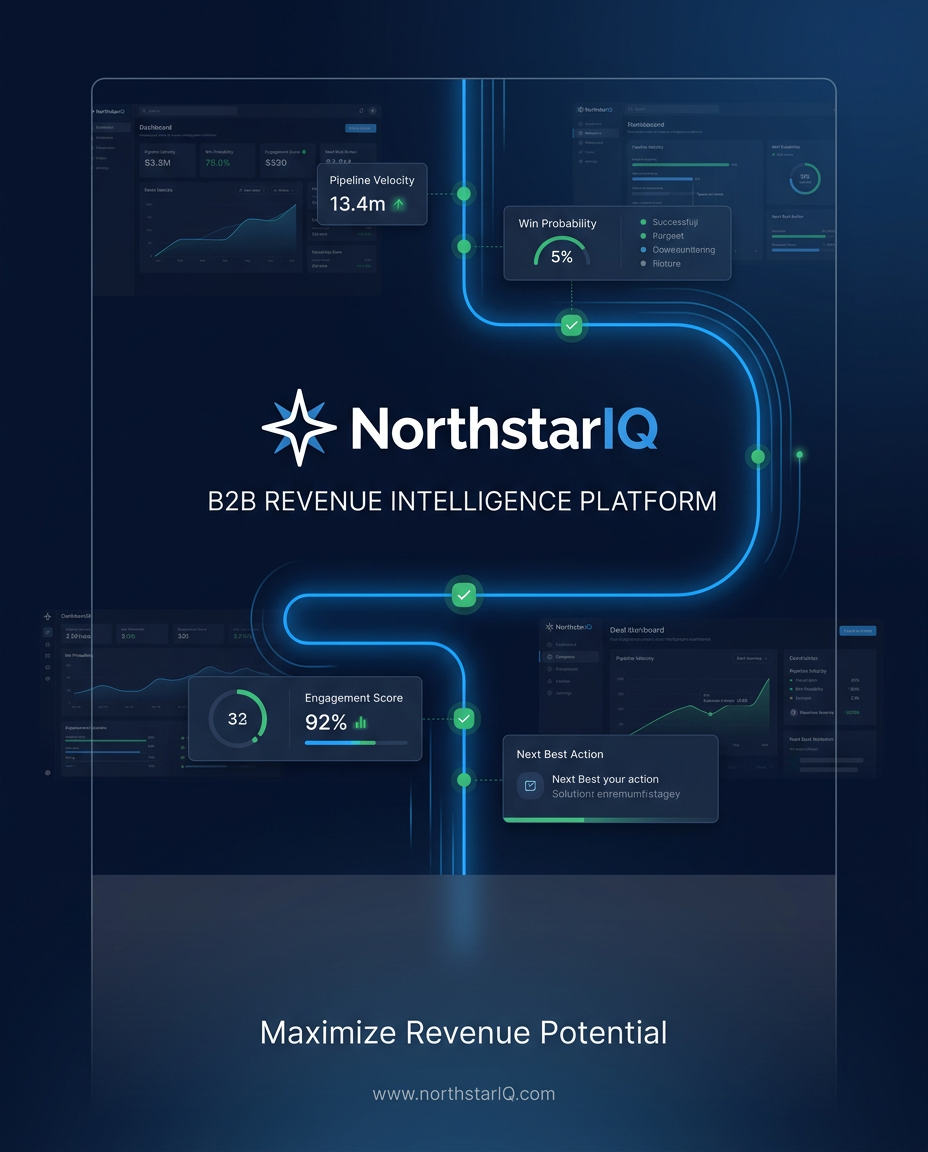
Generated hero visual for the article: a NorthstarIQ campaign cover built with the live ImageLayer admin flow.
Bonus generated asset: a blog-promo style card for sharing this exact article on LinkedIn after it goes live.
The brand: NorthstarIQ
NorthstarIQ is a fictional revenue intelligence platform for mid-market sales teams. Think pipeline analytics, deal inspection, and forecasting workflows for heads of revenue and sales operations leaders.
The company is launching a new feature called Deal Replay – a guided post-call review that helps managers understand why deals stall, where reps lose momentum, and which coaching moments show up across the pipeline.
The LinkedIn goal is straightforward:
- announce the feature clearly
- reinforce authority with one sharp data-driven asset
- publish one short motion asset that feels premium enough to stop the scroll
- add a narrated version for teams that want a fast campaign cut
- give marketing and leadership multiple text angles without rewriting the same story five times
Why this is a good showcase for the new models
This workflow makes room for all the newest and strongest pieces of the current stack:
| Job | Model | Why it belongs here |
|---|---|---|
| Messaging strategy and post variants | Gemini 3.1 Pro | Best fit when the quality of the thinking matters more than raw speed |
| Launch visual | Gemini 3.1 Flash Image | Fast branded asset creation for LinkedIn feed formats |
| Editorial stat card | Gemini 3 Pro Image | Higher-fidelity visual polish for text-heavy or premium cards |
| Teaser video | Veo 3.1 Fast | Short motion asset that matches the same campaign story |
| Voiceover | Gemini 3.1 Flash TTS | Newer speech output with more natural delivery and stronger control |
This is exactly the kind of package that helps a buyer picture what the widget could do inside their own product.
The launch package at a glance
For one realistic LinkedIn campaign, NorthstarIQ could build:
| Asset | Output mode | Suggested model | Credit tier |
|---|---|---|---|
| 3-4 post angle variants | Text | Gemini 3.1 Pro | 4 |
| Main launch announcement visual | Image | Gemini 3.1 Flash Image | 5 |
| Follow-up stat highlight card | Image | Gemini 3 Pro Image | 9 |
| 8-second teaser video | Video | Veo 3.1 Fast | 20 |
| 30-second narrated voiceover | Audio | Gemini 3.1 Flash TTS | 2 |
| Total | 40 |
That does not mean every team should generate every asset every week. The point is that the full stack is available when the campaign actually needs it.
1. Start with the message, not the image
The strongest launch packages do not begin in Photoshop. They begin with a sharp angle.
For NorthstarIQ, we would start with Text mode and Gemini 3.1 Pro to develop a few distinct LinkedIn directions from the same product brief.
Brief:
Write four LinkedIn launch angles for NorthstarIQ announcing Deal Replay, a new revenue intelligence workflow for post-call review. Audience: VP Sales, Sales Ops, Revenue Operations. Tone: confident, specific, not hype-heavy. Emphasize that managers can see where deals lose momentum and coach faster. Keep each version under 120 words. One version should sound founder-led. One should sound product-marketing-led. One should feel data-driven. One should feel customer-problem-first.
The point of using Gemini 3.1 Pro here is not “AI wrote a post.” It is that you get usable strategic variation fast enough to pick the strongest angle before you commit the rest of the campaign.
A team like NorthstarIQ might choose from outputs such as:
-
Problem-first
- Every revenue team reviews calls. Very few can see the exact moment a deal starts drifting. Deal Replay gives managers a structured way to review post-call momentum, spot repeated failure patterns, and coach reps before the next opportunity slips.
-
Data-forward
- Most pipeline reviews tell you what changed. Deal Replay shows you why. NorthstarIQ now helps sales leaders trace stalled deals back to the moments that broke momentum, so coaching is tied to evidence instead of opinion.
-
Founder-style
- We built Deal Replay for the managers who are tired of hearing “we had a good call” with nothing concrete behind it. Now you can review post-call moments with more structure, better context, and a much faster path to coaching.
This is a better top-of-funnel story than a generic “new feature launched” message because it gives the rest of the asset package something precise to reinforce.
2. Build the main launch visual with Gemini 3.1 Flash Image
Once the story is clear, the launch visual should do one job well: stop the scroll and communicate the feature in one glance.
For that, we would use the Announcement content type with the LinkedIn Post preset and Gemini 3.1 Flash Image.
Fields used:
- Headline:
Introducing Deal Replay - Key Details:
Structured post-call review for faster coaching and clearer pipeline decisions - Additional notes:
Premium revenue-software aesthetic. Deep navy background, electric blue accent lines, subtle green signal glow. Dashboard-grade typography. One hero frame that feels like a modern SaaS launch card, not an ad banner. Keep all text comfortably readable in-feed. NorthstarIQ wordmark small and restrained.
Why this is a good fit for Gemini 3.1 Flash Image:
- it is fast enough for campaign iteration
- it works well when the team already knows the format they want
- it fits the “generate, review, tweak, regenerate” loop that product marketers actually use
The buyer takeaway is simple: this is the kind of asset users want to create inside your product, not export to another design tool for.
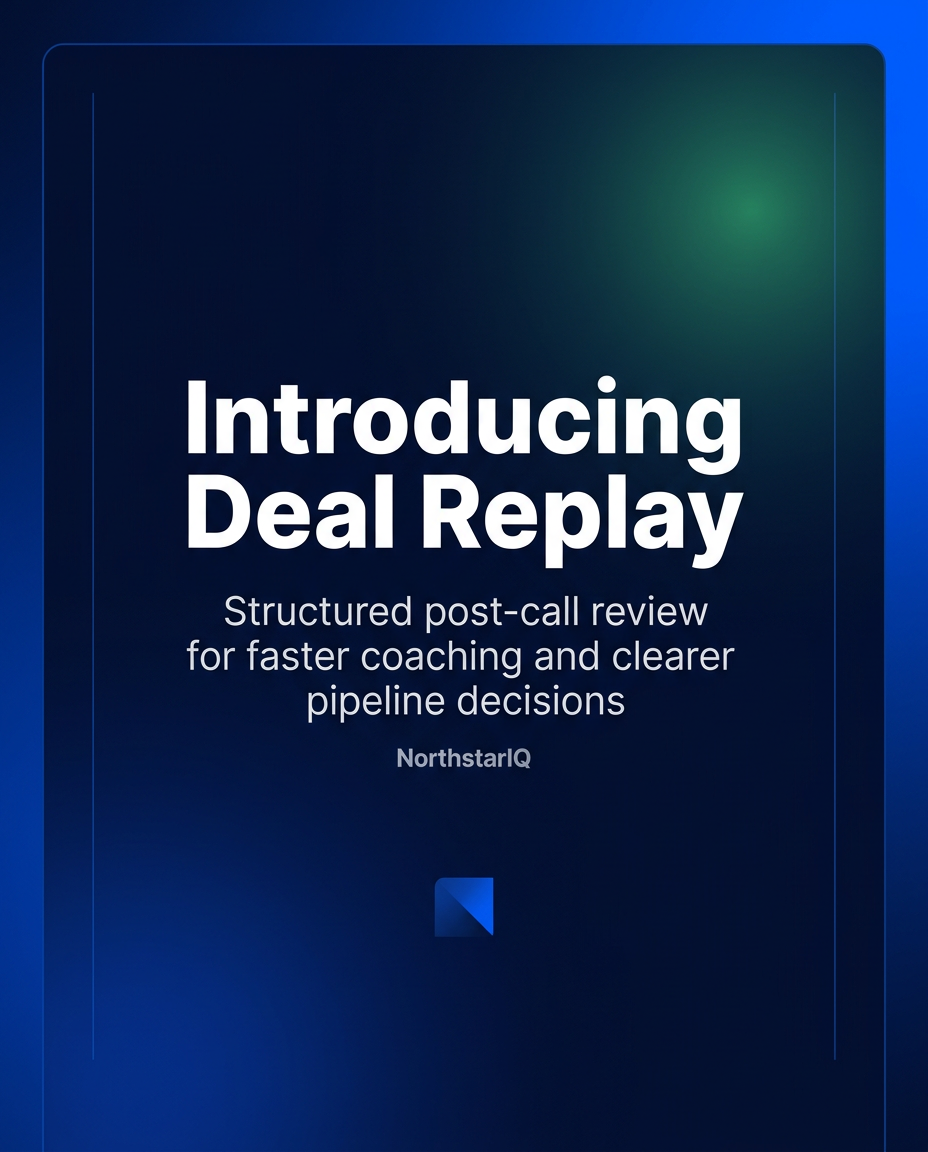
Generated result: launch announcement image for Deal Replay using the Announcement content type and Gemini 3.1 Flash Image.
3. Add a sharper editorial stat card with Gemini 3 Pro Image
A single announcement rarely carries the whole week. The next post usually needs proof.
That is where a Stat / Data Highlight card comes in. For NorthstarIQ, a good follow-up asset could center on a sales-review problem every leader already recognizes.
Here we would use Gemini 3 Pro Image because premium, text-heavy editorial cards benefit from the extra quality tier.
Fields used:
- Metric Value:
37% - Metric Label:
of stalled deals showed the same replay pattern before slipping - Context:
Based on NorthstarIQ post-call review analysis - Additional notes:
Editorial B2B SaaS design. Midnight navy background, thin grid texture, electric blue metric, restrained green accent for analytical confidence. Clean central composition, no decorative clutter, high text fidelity, premium dashboard aesthetic.
Why the second image matters:
- it makes the campaign feel like a sequence, not a single asset
- it gives sales leaders a reason to engage even if they ignored the launch card
- it shows buyers that ImageLayer can support both announcement assets and thought-leadership assets from the same brand system
This is also the point where a buyer starts to see the advantage of templates plus brand context over a blank prompt box.
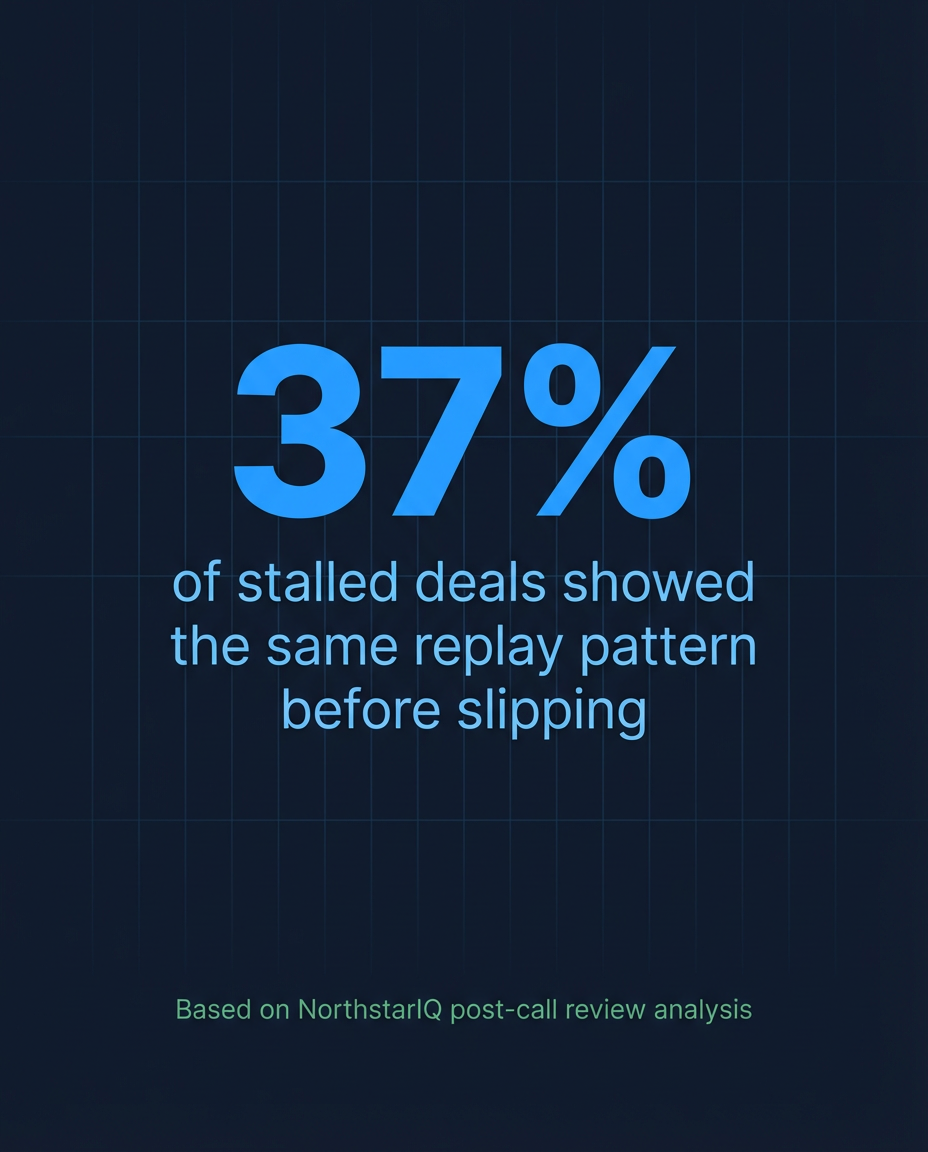
Generated result: editorial stat card using Gemini 3 Pro Image for a more premium, text-heavy layout.
4. Turn the feature story into motion with Veo 3.1 Fast
Static assets explain. Motion assets create attention.
For the teaser clip, we would use Video mode, Veo 3.1 Fast, and the LinkedIn Video preset. The goal is not a long cinematic ad. It is a short, clean motion asset that makes the launch feel more substantial.
Suggested prompt:
Create a polished LinkedIn teaser video for NorthstarIQ announcing a feature called Deal Replay. Landscape 16:9. Professional revenue-software aesthetic. Start on a dark analytics workspace with a blurred pipeline dashboard. Subtle camera push-in. Bright blue signal lines travel across the screen and converge into a focused replay timeline. Transition into a clean hero frame that suggests post-call review, call moments, and coaching insights. Calm pacing, premium SaaS color grading, no subtitles, no stock-footage look, no exaggerated motion graphics.
Why Veo 3.1 Fast is the right default here:
- short launch clips do not need a heavyweight studio workflow
- the first requirement is believable, polished motion
- teams need enough speed to test multiple versions without treating each one like a major production cycle
For many buyers, this is the moment where the value proposition sharpens: one widget can cover not just the static post, but the motion layer that usually gets dropped because it is too expensive or too slow to produce.
Generated result: NorthstarIQ Deal Replay teaser video created with Veo 3.1 Fast from the same campaign story.
5. Add narration with Gemini 3.1 Flash TTS
Now the package becomes more than a social post set. It becomes something a team can reuse in paid social, email, a launch recap, or an in-app promo.
For the narrated version, we would use Audio mode with Gemini 3.1 Flash TTS.
Voiceover prompt:
Deliver this in a confident, measured B2B product-marketing tone. Slightly more emphasis on “Deal Replay” and “coach faster.” Avoid sounding like a commercial voiceover. Text: “Introducing Deal Replay from NorthstarIQ. Review the moments that shift deal momentum, spot repeat patterns after every call, and coach your team with clearer evidence instead of guesswork. Faster reviews. Better coaching. Stronger pipeline decisions.”
Why this matters:
- it shows that the new TTS tier is not just “audio output” but a controllable campaign asset
- it gives teams a clean path from teaser video to narrated variant
- it helps a buyer imagine voice generation as part of the same product capability, not a separate integration
For a lot of B2B teams, this is enough. A short narrated cut plus the static launch card can cover the whole launch window.
Generated result: 30-second Deal Replay voiceover using Gemini 3.1 Flash TTS.
What this workflow proves to a potential buyer
This example is fictional, but the workflow is real.
If your product serves marketers, sales teams, social teams, enablement teams, or internal comms teams, the value is not “look, AI can generate media.” The value is:
-
One capability spans the whole campaign
- text, static assets, video, and voice can live in the same product flow
-
The output can stay on-brand
- the launch card, stat card, teaser, and narration all support the same product story
-
Users do not need to become prompt engineers
- templates and presets give them a strong default structure
-
The feature feels worth paying for
- once buyers can picture their users building a package like this without leaving the product, the widget stops looking like a novelty and starts looking like infrastructure
That is the real selling point of the newest model stack. Not isolated quality benchmarks. A workflow that makes the end result feel useful, repeatable, and product-ready.
How we would position the models inside the widget
If you want buyers to understand the stack quickly, this is the cleanest explanation:
| Model | Best role in this workflow |
|---|---|
| Gemini 3.1 Pro | Find the strongest angle, tighten the message, and generate high-quality post variants |
| Gemini 3.1 Flash Image | Produce the main branded launch visual quickly |
| Gemini 3 Pro Image | Create premium editorial cards where polish and text handling matter more |
| Veo 3.1 Fast | Turn the campaign into a short motion asset without a full video production cycle |
| Gemini 3.1 Flash TTS | Add a more natural narrated layer for launch clips, demos, or repurposed assets |
This kind of decision framework helps the article sell the product without sounding like a sales page.
The bigger lesson
Most buyers are not shopping for “an image model” or “a TTS model.”
They are shopping for a workflow their users will actually adopt.
If the blog post can help them picture one clean, repeatable campaign package inside their product, it will do more commercial work than a dozen abstract model comparison charts.
Keep exploring
- How Amplify Creates 12 LinkedIn Visuals Per Week - A closer look at a B2B social workflow built around repeatable content types.
- From Zero to Product Launch: Creating a Complete Demo Package with AI - A multi-modal example spanning video, image, audio, and text.
- AI Voiceovers in Seconds: Generate Professional Audio with Text-to-Speech - How to think about voices, formats, and TTS use cases.
Build your own LinkedIn launch package
If you want to test a workflow like NorthstarIQ’s, start in the playground and run the package one layer at a time: message, launch card, stat card, teaser clip, and voiceover. When the flow feels right, embed the widget so your own users can create the same kind of campaign inside your product.