8 Veo Video Prompt Templates Brands Can Copy
We generated eight real ImageLayer video assets and documented the exact widget settings, brand direction, and prompts behind each one.
AI video is most useful when it stops being a blank prompt box. A good brand team does not need one lucky render. It needs repeatable recipes: the same camera structure, the same visual logic, and a prompt that can be copied, edited, and run again for a different product, city, season, or customer segment.
So we built this post as a template library, not a theory guide. Every video below was generated in the ImageLayer dashboard with the exact prompts shown here. For each recipe, you get the widget setup, the embedded brand direction, the prompt that produced the asset, and notes on how to adapt it for your own brand.
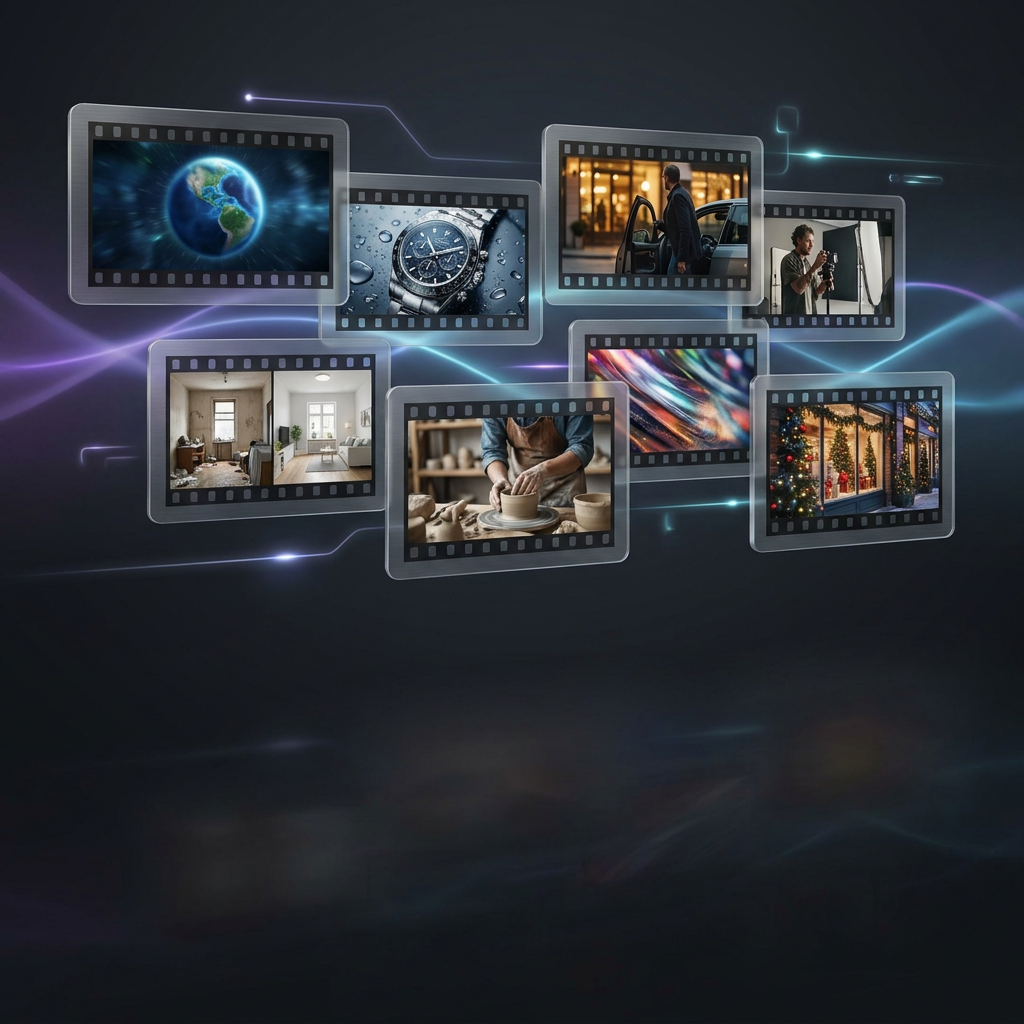
Generated cover image: eight brand video recipes as a cinematic storyboard.
What makes these prompts work
The most reliable Veo prompts read like shot direction, not marketing copy. The pattern we used:
[Shot type + one camera move]. [Stable subject]. [One visual beat]. [Specific environment].
Style: [lighting, lens, palette, mood].
Continuity constraints: one continuous shot, no cuts, stable camera, keep subject centered.
Avoid: no random text, no extra products, no warping, no sudden scene changes.
For short clips, do not ask for a whole commercial. Ask for one strong shot. If you need multiple beats, generate multiple clips and edit them together.
Universal brand block
Before you run any template, write a compact brand block and paste it into the prompt:
Brand guidelines: [primary colors], [accent colors], [materials or textures],
[lighting mood], [visual style], [tone words]. Avoid [off-brand colors],
[visual cliches], [clutter], [text overlays], [anything your brand should never show].
Example:
Brand guidelines: deep navy, warm sunrise gold, clean glass architecture,
optimistic premium business mood. Avoid cartoon maps, readable text, logos,
cluttered scenes, and exaggerated camera shake.
In the dashboard, keep the same brand block across a batch of variations. Change one variable at a time: product, city, season, camera speed, or lighting.
Dashboard setup
For the videos below, use:
- Page:
Dashboard -> Generate - Output mode:
Video - Duration:
8 s - Resolution:
720p - Model:
Veo 3.1 Fastfor most templates - Model exception:
Veo 3.1 Qualityfor the advanced Earth zoom template - Apply brand guidelines toggle: off for these exact runs
- Brand direction: embedded directly inside each prompt under
Brand guidelinesorBrand mood
For the cover image:
- Output mode:
Image - Platform preset:
Blog Header (1.91:1) - Model:
Gemini 3 Pro Image (Preview) - Apply brand guidelines toggle: off for this exact run
1. Earth-to-brand reveal
Use this when you want the big “we operate here” feeling: a global-to-local opener for real estate, coworking, hotels, logistics, franchises, local services, or employer brand.
This is the hardest recipe in the set. A pure text prompt can still drift into a satellite-style shot. The most stable future workflow is first/last-frame: full Earth as the first frame, exact storefront or office as the last frame. Until that control is exposed in your workflow, keep the prompt very strict.
Widget setup: Video, Veo 3.1 Quality, 8 s, 720p.
Generated result: OrbitWorks Earth-to-brand reveal.
Prompt used:
Google-Earth-style one-shot zoom-in for a fictional local business brand called OrbitWorks. Opening frame: the entire planet Earth is visible as a complete blue globe centered in black space, with white cloud bands and the planet curvature clearly visible. The whole 8-second video is one unbroken continuous zoom-in with no edits: the camera gradually zooms from the full Earth globe toward one fixed target point on a modern coastal city, passes smoothly through the atmosphere and cloud layer, resolves into a city grid, then keeps zooming along the same center point until it reaches the exterior of one modern glass coworking office building at street level. Final frame: the glass office entrance fills the frame, warm sunrise light reflecting on the facade, no people close-ups. Maintain the same center target throughout, geographic continuity, smooth exponential zoom speed, stable gimbal motion, realistic satellite-to-street perspective. Brand mood: deep navy, warm sunrise gold, optimistic premium business aesthetic. Avoid: no cuts, no montage, no separate shots, no sudden skyscraper cutaway, no teleporting, no interior view, no title cards, no logos, no readable text, no random people, no distorted buildings.Adapt it: Replace OrbitWorks, modern coastal city, and glass coworking office building with your brand, market, and final location. Keep the opening and ending constraints intact.
Why it works: It removes extra story beats. There are no people arriving, no interior, and no second reveal. The entire prompt is about one camera path.
2. Product macro hero
Use this for beauty, fashion, food, electronics, wellness, drinks, jewelry, packaging, or any product where material and finish matter.
Widget setup: Video, Veo 3.1 Fast, 8 s, 720p.
Generated result: Solene product macro hero.
Prompt used:
Product macro hero for fictional skincare brand Solene. Brand guidelines: minimalist luxury editorial, warm cream background, deep plum accents, champagne gold highlights, soft botanical motifs, refined serene mood, avoid neon colors and clutter. Extreme macro close-up of a frosted glass serum bottle with a gold dropper cap, tiny condensation beads and soft rose petals out of focus. The camera starts inches from the glass texture, then slowly dollies out with a subtle arc reveal until the full bottle is visible on warm marble. Soft golden morning light, shallow depth of field, realistic reflections, premium cosmetics commercial, cinematic 35mm lens look, no text, no extra bottles, no distorted label.Adapt it: Swap the product, surface, material cues, and palette. Keep the macro-to-hero structure and only one reveal.
Why it works: The subject is stable, the camera motion is simple, and the material cues give Veo something concrete to render.
3. Local cinematic arrival
Use this for restaurants, clinics, hotels, gyms, salons, retail, studios, galleries, schools, or neighborhood services.
Widget setup: Video, Veo 3.1 Fast, 8 s, 720p.
Generated result: Luma Table storefront arrival.
Prompt used:
Local cinematic arrival for a fictional neighborhood restaurant brand called Luma Table. One continuous street-level gimbal shot with no cuts: start from across a calm city street at blue hour, camera slowly pushes forward across the crosswalk and along the sidewalk toward a warm modern restaurant storefront. The storefront stays centered and grows larger steadily; the final frame lands outside the front window with a cozy candlelit dining room visible through glass. Brand mood: warm amber lights, deep olive accents, handcrafted hospitality, premium local dining. Use realistic city reflections on wet pavement, soft bokeh lights, stable smooth motion, 35mm commercial look. Avoid: no montage, no sudden jump to interior, no readable signage, no text overlays, no people close-ups, no distorted storefront, no fast camera shake.Adapt it: Replace restaurant with your storefront, studio, office, clinic, or showroom. Change blue hour to sunrise, golden hour, rain, or snow.
Why it works: It gives the camera one job: approach the business. The final frame is an exterior, so the model does not need to invent a new interior scene.
4. Founder documentary moment
Use this for B2B brands, agencies, consultancies, studios, independent shops, and founder-led companies.
Widget setup: Video, Veo 3.1 Fast, 8 s, 720p.
Generated result: Northline Goods founder moment.
Prompt used:
Founder documentary moment for a fictional sustainable packaging studio called Northline Goods. One continuous medium shot at eye level with a very slow 10 percent dolly-in over 8 seconds. A founder in smart casual clothing sits at a warm wooden studio desk, calmly reviewing packaging samples and placing one recycled paper box in the center of the desk. The action is simple and deliberate: pick up one sample, inspect it briefly, set it down neatly. Background: shelves with paper swatches, plants, soft daylight through a side window, tidy creative studio. Brand mood: charcoal, warm kraft paper, muted cobalt accent, thoughtful and trustworthy. Cinematic documentary realism, soft natural key light, shallow depth of field. Avoid: no speaking, no direct-to-camera dialogue, no extra hands, no face close-up, no distorted fingers, no random text, no logos, no cuts, no montage, no camera shake.Adapt it: Replace the founder action with one clear work moment: reviewing samples, tuning a prototype, checking a dashboard, arranging flowers, or preparing a client table.
Why it works: Faces and hands can be fragile in AI video. This keeps the subject medium-framed, action simple, and camera movement slow.
5. Craft process
Use this for food, handmade products, manufacturing, packaging, beauty, ceramics, woodworking, coffee, fashion, or any brand with a making process.
Widget setup: Video, Veo 3.1 Fast, 8 s, 720p.
Generated result: Hearth & Grain craft process.
Prompt used:
Craft process video for a fictional artisan bakery brand called Hearth & Grain. One continuous overhead tabletop shot with a slow 10 percent push-in over 8 seconds. A pair of baker's hands dusts flour over a round sourdough loaf on parchment, then uses one lame blade to score a single clean leaf pattern across the top. Keep the action simple, calm, and precise; the loaf stays centered for the entire shot. Environment: dark wooden workbench, linen towel, small bowl of flour, warm morning window light from the left, soft steam and flour dust particles. Brand mood: rustic premium, warm brown, cream, subtle copper. Cinematic food commercial realism, shallow depth of field around the edges. Avoid: no cuts, no multiple angles, no extra loaves, no distorted hands, no random text, no logos, no fast motion, no messy clutter.Adapt it: Keep the overhead composition and swap the object: glazing a pastry, arranging jewelry, folding fabric, pouring coffee, assembling packaging, or applying a product texture.
Why it works: The overhead view gives the model clear spatial relationships. The prompt only asks for one short process, not a full recipe.
6. Before/after transformation
Use this for home services, beauty, wellness, fitness, cleaning, renovation, productivity apps, analytics, and transformation stories.
Widget setup: Video, Veo 3.1 Fast, 8 s, 720p.
Generated result: TidyNest before/after transformation.
Prompt used:
Before-and-after transformation video for a fictional home organization service called TidyNest. One continuous locked-off tripod shot, same camera angle for the entire 8 seconds. Start with a kitchen counter that is mildly cluttered with mail, keys, cups, and small everyday items. At the midpoint, a soft motion-blur wipe passes across the lens from left to right; as the wipe clears, the same counter is neatly organized with a small tray, fresh flowers, and clean open space. The camera never moves; the composition, counter, window, and lighting stay consistent before and after. Brand mood: calm, bright, trustworthy, warm white, sage green, natural wood. Clean commercial realism, soft daylight, satisfying transformation. Avoid: no jump cuts except the single lens wipe, no montage, no people close-ups, no impossible object warping, no random text, no logos, no dramatic mess, no dirty or unpleasant objects.Adapt it: Keep the same camera angle and change the before/after state: messy desk to focused workspace, dull packaging to polished product display, empty room to furnished room, or raw data to clean dashboard concept.
Why it works: The locked camera makes the transformation easier. The wipe gives Veo one explicit bridge instead of asking it to invent a montage.
7. Brand mood world
Use this for launch campaigns, landing page backgrounds, event visuals, luxury brands, music/audio brands, fintech, SaaS, fashion, or any brand that wants atmosphere rather than literal product footage.
Widget setup: Video, Veo 3.1 Fast, 8 s, 720p.
Generated result: Auralux brand mood world.
Prompt used:
Brand mood world video for a fictional premium audio brand called Auralux. One continuous abstract cinematic shot with a slow forward drift through a dark studio world made of flowing soundwave ribbons, soft metallic particles, and translucent glass arcs. The brand colors define the world: midnight navy background, electric cyan light trails, soft violet glow, small champagne highlights. The motion is smooth and hypnotic: ribbons pulse gently like audio waves and guide the camera toward a clean central glow. No product is required; this is a brand atmosphere loop for a launch campaign. Premium futuristic commercial style, macro lens feeling, shallow depth of field, elegant reflections, seamless loop potential. Avoid: no text, no logo, no random letters, no hard cuts, no chaotic particle explosion, no people, no fast camera moves, no clutter.Adapt it: Replace soundwave ribbons with your brand motif: botanical forms, glass charts, fabric folds, data streams, chrome liquid, paper fibers, or light beams.
Why it works: Abstract clips are more stable when you constrain palette, material, and motion. This prompt avoids literal logos and text, which are common failure points.
8. Seasonal campaign scene
Use this for retail, food, beauty, home goods, hospitality, local services, ecommerce, or seasonal campaign assets.
Widget setup: Video, Veo 3.1 Fast, 8 s, 720p.
Generated result: Ember & Pine seasonal campaign scene.
Prompt used:
Seasonal campaign scene for a fictional premium home fragrance brand called Ember & Pine. One continuous storefront window-display shot with a slow steady push-in over 8 seconds. Start outside a boutique window during gentle evening snowfall; the camera slowly moves closer to a cozy holiday product display with candles, pine branches, warm amber lights, cream gift boxes, and soft green ribbon. The final frame lands on the candle display behind the glass, with reflections of street lights and snowflakes drifting in the foreground. Brand mood: warm, elegant, seasonal, premium but approachable; colors are pine green, warm cream, amber gold, and charcoal. Cinematic commercial realism, shallow depth of field, soft bokeh, no text overlays. Avoid: no readable signage, no logos, no people close-ups, no cuts, no montage, no chaotic snow, no distorted products, no random letters.Adapt it: Change the season and product: summer patio, spring florals, back-to-school desk, autumn table, Black Friday storefront, new-year wellness ritual, or Valentine gift display.
Why it works: The season is environmental, not a complicated story. Snow, window reflections, and warm product display give motion without requiring many actions.
How to turn one recipe into ten tests
Do not rewrite everything. Pick one axis per batch:
- Audience: founder, buyer, team, customer, family, operator.
- Setting: studio, storefront, desk, street, kitchen, lab, showroom.
- Lighting: sunrise, blue hour, soft studio, rainy night, warm window light.
- Camera: slow push-in, locked tripod, overhead tabletop, gentle orbit, street-level gimbal.
- Brand mood: premium, playful, local, technical, calming, bold, editorial.
- Season: holiday, spring launch, summer event, back-to-school, new year.
Generate three to five variations, choose the strongest composition, then tighten only the weak part: camera speed, subject stability, background clutter, or color palette.
Production notes
For one-shot clips, avoid sequence language. Words like “then,” “next,” and “after that” often turn a short generation into a mini montage. Use “one continuous shot” and describe the single endpoint instead.
For product fidelity, use references when available. If the product shape matters, image-to-video or reference images will beat pure text-to-video. Prompt for motion only when you already have the right source image.
For Earth zooms, use first/last frames when possible. A full Earth-to-building move spans too much scale for pure text control. The text prompt above is workable, but first/last-frame interpolation is the better production method once your workflow exposes it.
For social vertical, check the actual video controls. If your widget only exposes duration and resolution, do not promise 9:16 output. Generate the strongest landscape shot first, then crop or reframe downstream if needed.
Keep exploring
- AI Video Generation: Create Cinematic Product Demos and Social Clips - Step-by-step video prompts, templates, and pricing.
- Brand Guidelines for Video: How a Luxury Skincare Brand Keeps AI Content On-Brand - Side-by-side generic vs branded video output.
- Add AI Voiceovers to Generated Videos: The Complete Workflow - Turn finished clips into narrated videos.
Try it yourself
Open the playground or your dashboard generate page, choose Video, paste one prompt, and replace only the bracketed business details. The fastest path to better AI video is not a longer prompt. It is a clearer shot.