Fill Seats Before the Event Starts: The Event Cover Preset
Event promotion lives and dies by the cover image. The Event Cover preset creates exciting, professional graphics that generate anticipation and RSVPs.
Your grand opening is in two weeks. The space is ready, the catering is booked, and the local press is invited. Now you need a cover image for the Facebook event, the Instagram post, the email invite, the website banner, and the printed flyer. That’s five formats of the same graphic, and your team is already stretched thin.
Most small businesses end up with an event graphic that looks like it was made in Microsoft Paint by someone who discovered WordArt. Date in Comic Sans. Clipart balloons. A color scheme that clashes with everything.
How to Use the Event Cover Preset
The Event Cover Content Type creates visually striking, excitement-generating event graphics. You fill in four fields:
- Event Name: “Grand Opening Celebration”
- Date & Time: “Saturday, April 12 at 11 AM”
- Venue / Location: “123 Main Street”
- Mood / Theme: “Festive, community”
The preset generates a dynamic, inviting design with beautiful typography and professional event marketing quality – the kind of graphic that makes people mark their calendar.
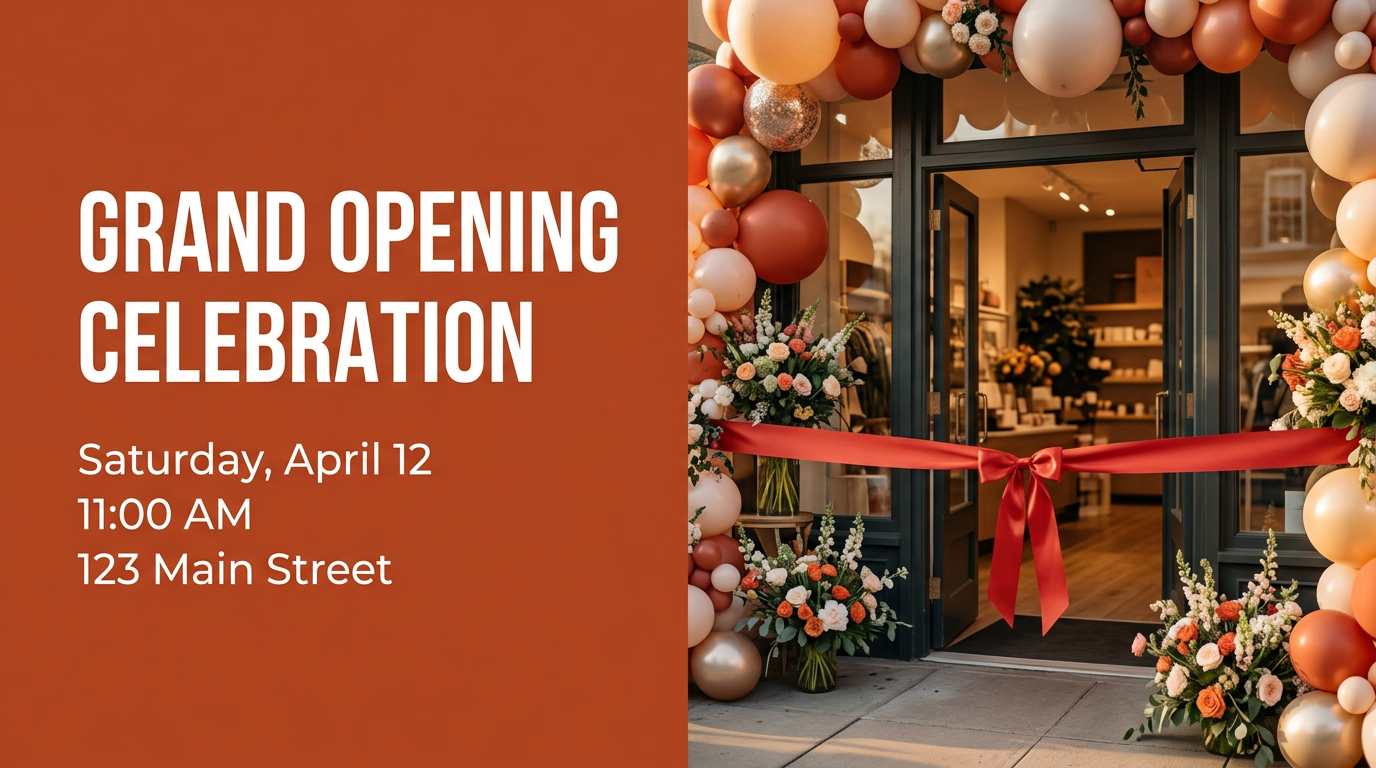
Generated with the Event Cover preset
Writing a Mood / Theme that actually changes the output
The first three fields are factual — name, time, place. The Mood / Theme field is where the design is decided, and it’s the one most people leave too vague. “Nice” or “fun” gives the model nothing to work with. Specific sensory direction does.
Compare these inputs for the same grand opening:
- Weak: “Festive” → a generic confetti template that could promote anything.
- Better: “Festive, community” → warmer palette, friendlier typography.
- Strong: “Festive neighborhood block-party energy — warm sunset palette, hand-lettered headline, string-light accents” → a cover with a clear point of view that matches your brand.
A few patterns that consistently produce better covers:
- Name the palette, not just the vibe. “Deep teal and gold, premium” reads very differently from “bright primary colors, playful.”
- Anchor it to a reference. “Farmers-market poster” or “indie concert flyer” gives the model a recognizable visual language.
- Say what to avoid. Adding “no clip-art, no balloons” keeps the output away from the Microsoft-Paint look entirely.
If you’ve set up brand guidelines, the cover inherits your colors and typography automatically — so the Mood / Theme field only needs to describe the occasion, not your brand.
Events That Need Great Cover Art
This preset handles any event worth promoting:
- Grand openings: Ribbon-cutting energy with all the essential details front and center
- Workshops and classes: Educational events that communicate value and professionalism
- Seasonal events: Holiday markets, summer festivals, anniversary celebrations
- Webinars and virtual events: Professional cover images for Zoom, Eventbrite, and social media
- Community events: Local gatherings, charity drives, open houses
Why This Matters
- RSVP Conversion: Events with professional cover art see significantly higher registration rates. The image sets expectations for the quality of the event itself.
- Multi-Platform Ready: One generation works for Facebook Events, Instagram, email headers, website banners, and even printed flyers.
- Last-Minute Flexibility: Date changed? Venue updated? Regenerate the cover image in 30 seconds with the new details.
Make People Want to Show Up
A great event starts with a great first impression. The cover image is where that begins.
The Event Cover preset is one of a family of structured templates — see the promo offer and announcement presets for adjacent campaign needs, or browse the full content-marketing use case for how teams string these together.
Try the Event Cover template in our Playground and create an event graphic that fills seats.