Brand Guidelines with GPT Image 2: One Brand, Five Consistent Campaign Assets
See how a fictional B2B advocacy brand uses ImageLayer Brand Guidelines with GPT Image 2 so different teammates can create consistent launch, benchmark, carousel, workflow, and event visuals.
Prompt libraries are useful. Brand systems are what make them operational.
In the previous GPT Image 2 prompt library, every prompt carried its own visual direction: colors, typography, layout, motif, and what to avoid. That works for experimentation. It is less ideal for a real company where five people might create five assets in the same week.
The better workflow is: save the brand once, then let every prompt focus on the job.
This article shows that pattern with Reachly, the demo B2B social media analytics and employee advocacy identity used in our existing ImageLayer examples — think employee advocacy and social analytics platforms. The product marketing team, demand gen team, customer marketing team, content team, and event team all use different prompts. ImageLayer’s Brand Guidelines keep the results in the same visual world.
The Reachly Brand System
Reachly’s guidelines are configured once in the ImageLayer dashboard.
Brand name:
Reachly

Company:
B2B social media analytics and employee advocacy platform for mid-market marketing teams.

Audience:
Marketing leaders, social media managers, and employee advocacy teams at mid-market B2B companies.

Value proposition:
Turn employee social activity into measurable pipeline with brand-safe publishing, analytics, and advocacy workflows.

Visual style:
Modern B2B SaaS identity for LinkedIn-native marketing content. Clean data-driven layouts, light lavender surfaces, deep navy typography, electric blue accents, mint success metrics, geometric network patterns, dashboard cards, and confident editorial typography. Professional, authoritative, and visually striking without feeling gimmicky.

Brand motif:
Geometric network patterns, data visualization nodes, clean dashboard cards.

Avoid:
Stock photo cliches, cluttered layouts, childish illustrations, clip art, heavy drop shadows.
The prompts below do not repeat that whole brand system. They only describe the asset each teammate needs.
Setup Used for Every Example
Every image below was generated in ImageLayer with:
- Mode: Image
- Content type: General
- Model: GPT Image 2
- Apply brand guidelines: On
- Brand: Reachly
The important part is the switch. With guidelines on, the prompt can stay short and task-specific.
One practical note: for assets that include dashboards, charts, and UI cards, GPT Image 2 may add small decorative microcopy inside the interface. Treat the quoted headline, subtitle, stage names, and chips as the controlled copy. Ask for minimal extra UI text when the surrounding dashboard detail matters more than a perfectly blank interface.
1. Product Marketing: Feature Launch Graphic
The product marketing manager needs a launch graphic for a new advocacy product surface.
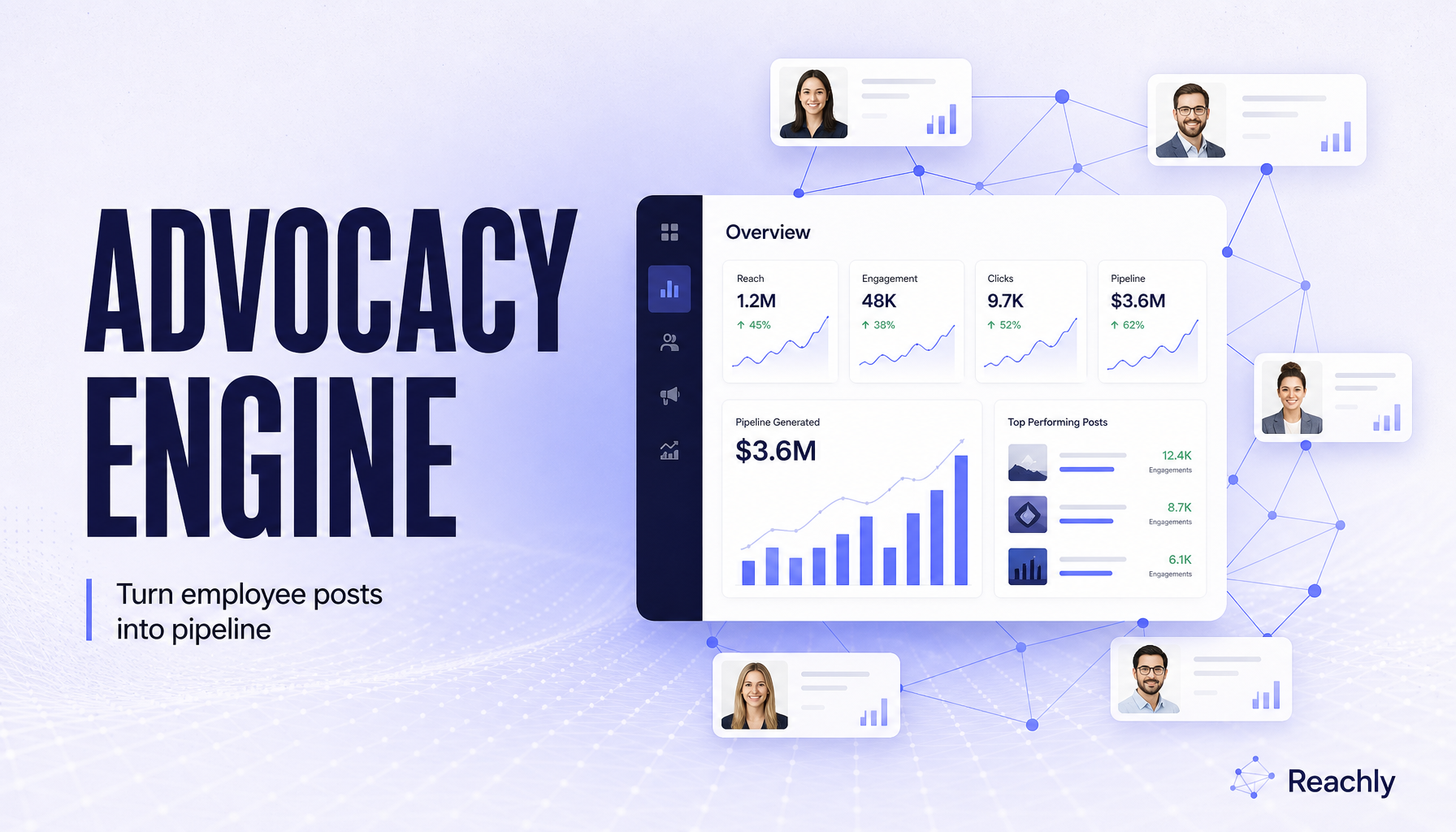
Generated with Reachly Brand Guidelines applied.
Prompt:
Product marketing launch graphic for a B2B social advocacy platform. 16:9 editorial campaign image. Large headline reads exactly "ADVOCACY ENGINE". Supporting line reads exactly "Turn employee posts into pipeline". Show a clean product dashboard, connected employee profile cards, and subtle network lines. Premium LinkedIn launch creative, clear hierarchy, readable typography, no third-party logos, minimal extra UI microcopy, no watermark.Notice what is missing: no palette instructions, no typography direction, no “make it look like Reachly.” The prompt describes the job; the saved guidelines provide the brand.
2. Demand Gen: Benchmark Card
The demand generation manager needs a stat-led LinkedIn post for a campaign landing page.
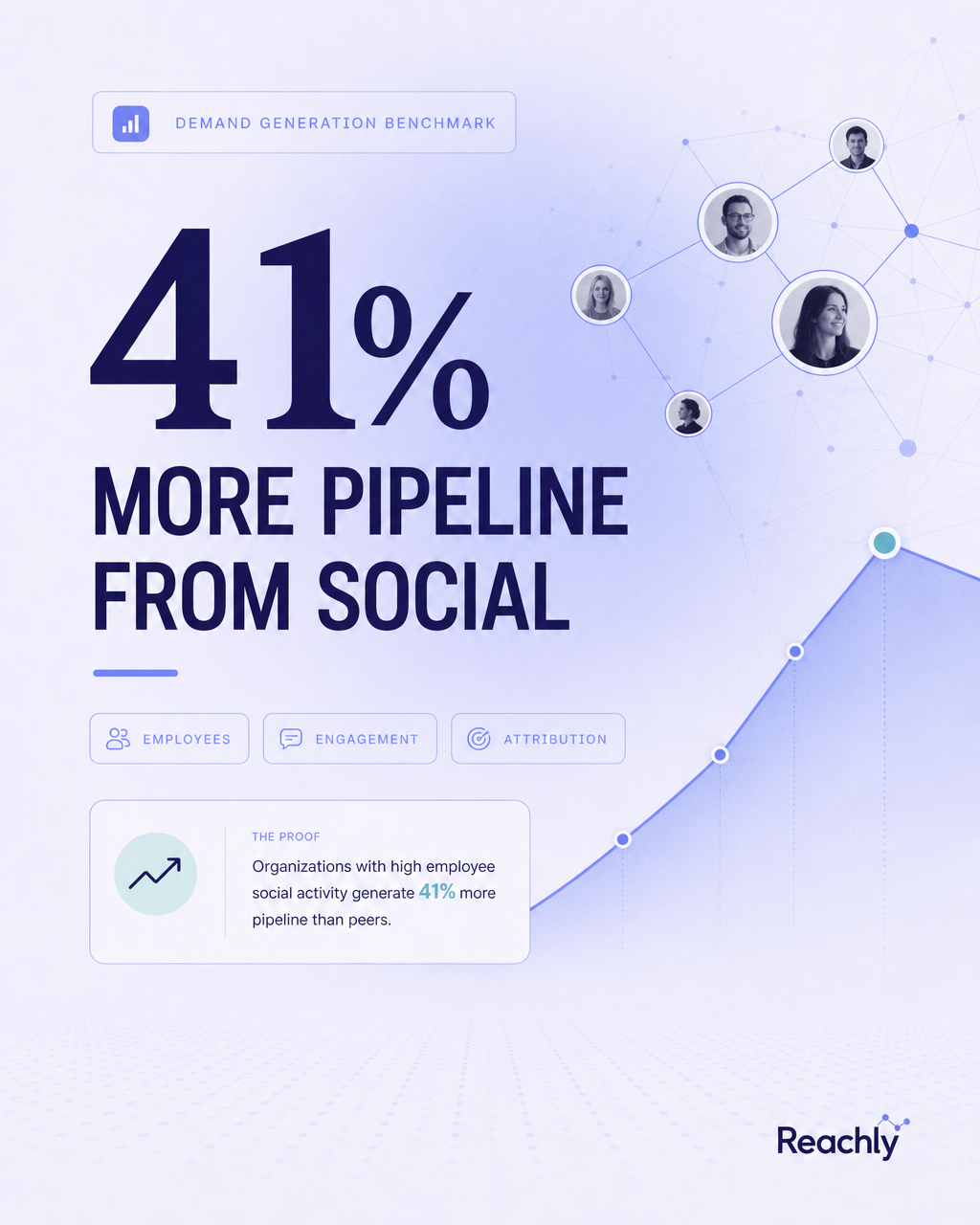
Same brand system, different prompt, different format.
Prompt:
Demand generation benchmark card for a B2B social advocacy platform. Vertical 4:5 LinkedIn post. Big metric reads exactly "41%". Headline reads exactly "MORE PIPELINE FROM SOCIAL". Three small chips read exactly "EMPLOYEES", "ENGAGEMENT", "ATTRIBUTION". Include abstract chart lines, profile nodes, and one clean proof-point layout. Premium B2B case-study style, readable typography, no third-party logos, minimal extra UI microcopy, no watermark.This is the same technique as a generic stat-card prompt. The difference is that the dashboard knows the brand before generation begins.
3. Customer Marketing: Workflow Explainer
The customer marketing team needs a visual explanation of the product outcome: post, engage, sync, pipeline.
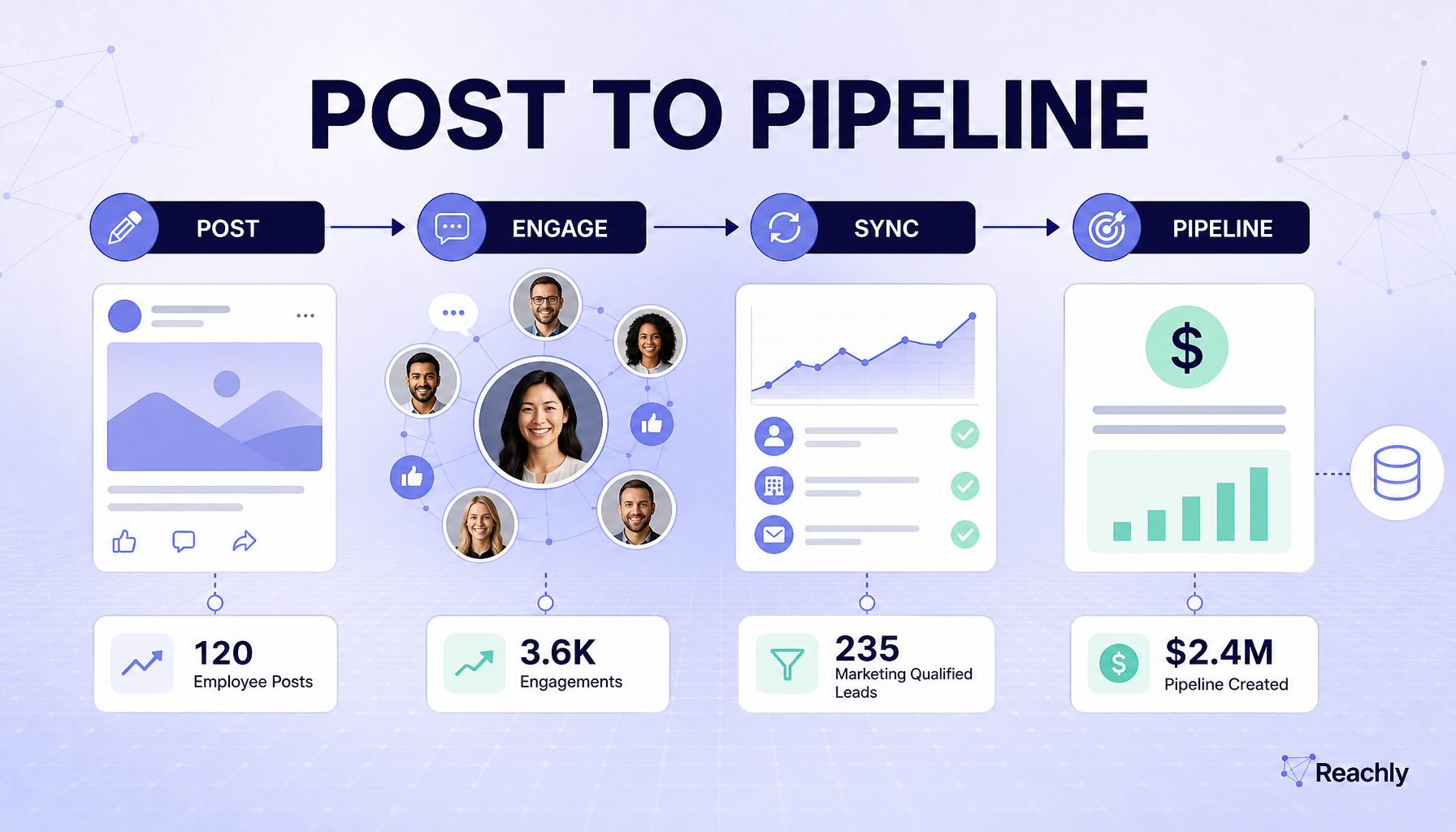
A process visual generated from the same saved Reachly guidelines.
Prompt:
Customer marketing workflow explainer for a B2B social advocacy platform. 16:9 infographic-style visual. Title reads exactly "POST TO PIPELINE". Four connected stages read exactly "POST", "ENGAGE", "SYNC", "PIPELINE". Show clean icons, arrows, dashboard cards, employee profile nodes, and a subtle CRM handoff. Premium SaaS editorial infographic, readable typography, no third-party logos, minimal extra UI microcopy, no watermark.This prompt is not trying to be beautiful. It is trying to be structured. The brand guidelines handle the visual signature.
4. Content Marketing: Carousel Cover
The content team needs a carousel cover for a LinkedIn educational series.
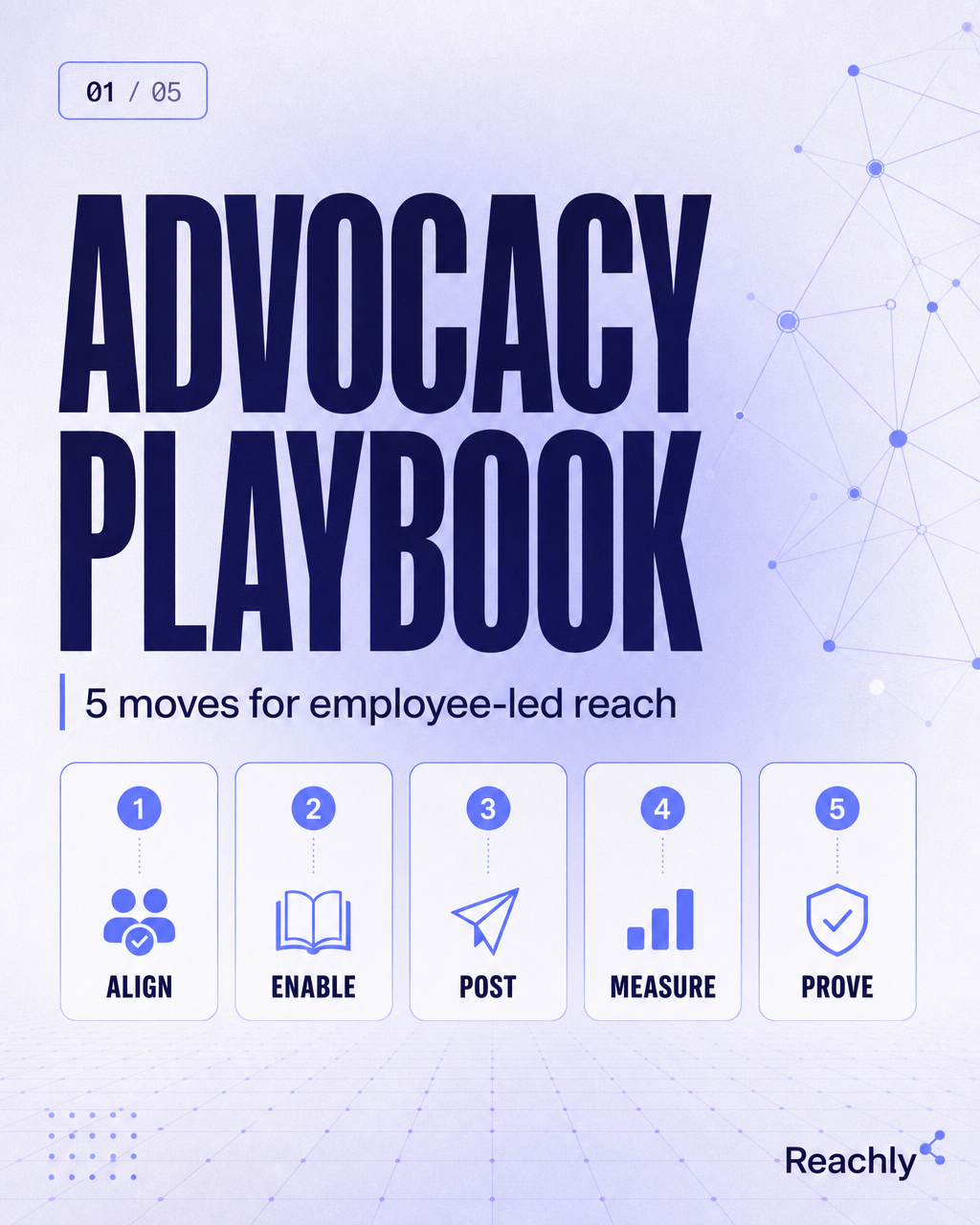
A content asset that still feels connected to the launch and benchmark visuals.
Prompt:
Content marketing carousel cover for a B2B social advocacy platform. Vertical 4:5 LinkedIn carousel slide. Main title reads exactly "ADVOCACY PLAYBOOK". Subtitle reads exactly "5 moves for employee-led reach". Show five small numbered cards with short labels: "ALIGN", "ENABLE", "POST", "MEASURE", "PROVE". Premium educational SaaS design, clean hierarchy, readable typography, no third-party logos, minimal extra UI microcopy, no watermark.The title, labels, and format changed. The brand did not.
5. Event Marketing: Webinar Cover
The event team needs a webinar cover for a virtual summit.
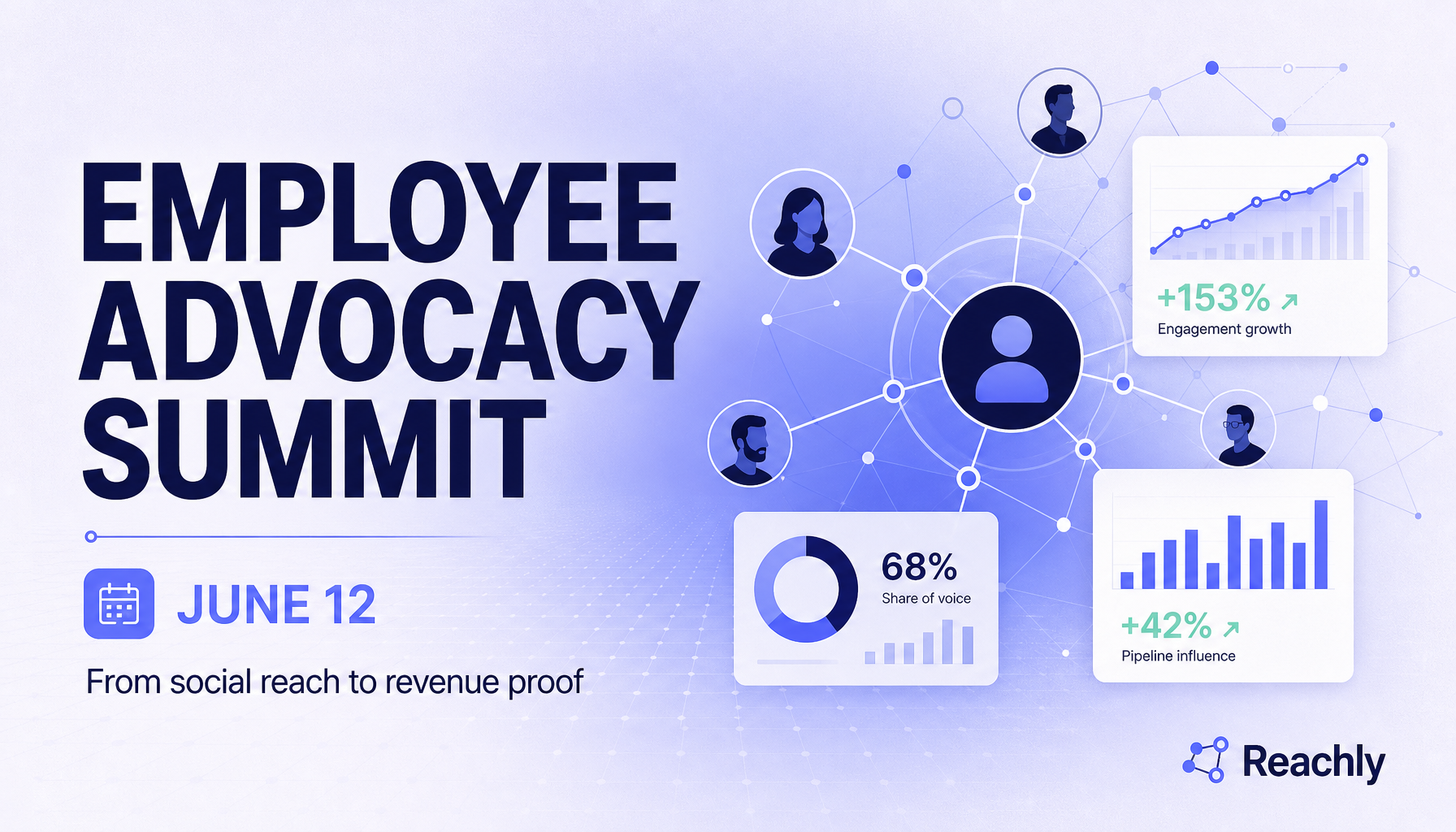
The same brand system applied to an event asset.
Prompt:
Event marketing cover image for a B2B social advocacy platform. 16:9 webinar graphic. Main title reads exactly "EMPLOYEE ADVOCACY SUMMIT". Date line reads exactly "JUNE 12". Subtitle reads exactly "From social reach to revenue proof". Show abstract speaker cards, audience nodes, analytics panels, and connected network lines. Premium B2B webinar cover, clear hierarchy, readable typography, no third-party logos, minimal extra UI microcopy, no watermark.This is where guidelines become operational. The event team does not need to read a brand book or ask design for a one-off brief. The system already knows the brand.
Why This Works Better Than Copy-Pasting a Long Prompt
A long prompt can produce one good image.
Brand Guidelines make a repeatable workflow:
- The product marketer writes a launch prompt.
- The demand gen marketer writes a stat-card prompt.
- The customer marketer writes a workflow prompt.
- The content marketer writes a carousel prompt.
- The event marketer writes a webinar prompt.
None of them need to remember the exact color values, motif language, typography mood, or avoid list. Those constraints live in the organization settings.
That separation matters. A prompt should describe the asset. Brand Guidelines should describe the brand.
The Prompt Pattern
Use short, role-specific prompts:
[TEAM / USE CASE] asset for [PRODUCT CATEGORY].
[FORMAT / PLATFORM].
[EXACT TEXT].
[SUBJECT / STRUCTURE].
[QUALITY BAR].
No third-party logos, minimal extra UI microcopy, no watermark.
Then let Brand Guidelines carry:
Brand name
Audience
Value proposition
Color palette
Typography direction
Visual style
Motifs
Avoid list
Brandmark behavior
This is the core ImageLayer workflow: move repeatable brand knowledge out of individual prompts and into the shared organization layer.
When to Use Brand Guidelines
Turn Brand Guidelines on when the output represents a real company or a real customer:
- launch campaigns
- weekly LinkedIn content
- benchmark cards
- customer proof graphics
- event covers
- product education visuals
- social carousels
- internal enablement graphics
Keep them off when you are exploring a brand-new visual direction or testing unrelated fictional examples.
Keep Exploring
- Brand-Ready GPT Image 2 Prompts for Ads, Product Cards, and Campaign Kits - The prompt library version without saved guidelines.
- How a B2B SaaS Brand Creates On-Brand LinkedIn Video - Reachly’s brand system applied to video.
- Branding & Guidelines - How to configure brand rules in the dashboard.
- Content Type Templates - How to turn these repeatable prompts into structured fields.